Creating Effective Visual Schedules: Step-by-Step Guide for Parents
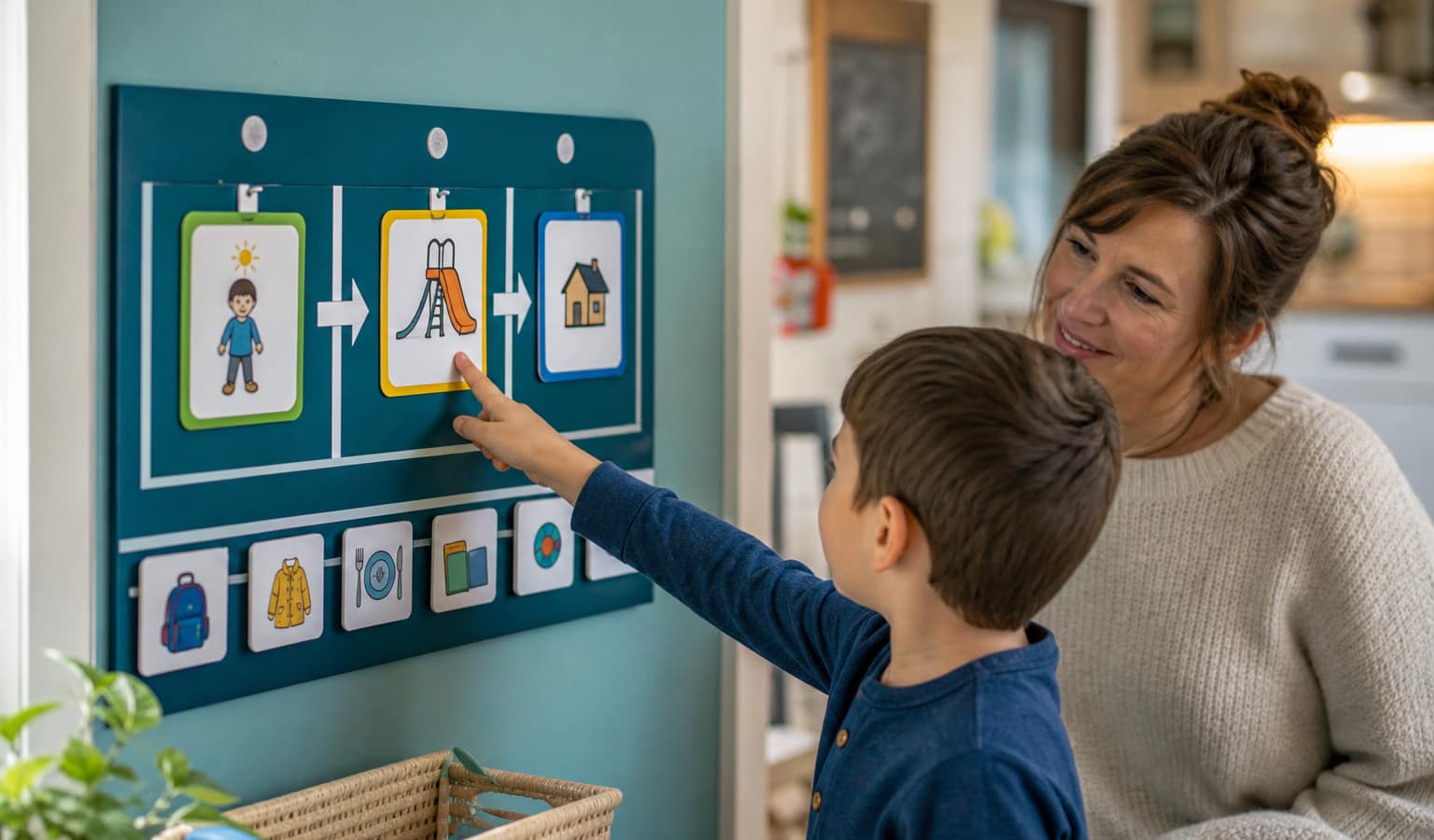
Visual schedules are systematic representations of activities or events that help individuals understand and manage the flow of time. For neurodivergent children, these visual supports transform abstract concepts like time and sequence into concrete, predictable formats that reduce anxiety and build independence.
Why Visual Schedules Matter
- Reduce anxiety and uncertainty by providing predictability in daily routines
- Build independence by giving children the tools to follow sequences without constant verbal prompting
- Support transitions between activities, which are often challenging for neurodivergent children
- Improve time management and understanding of sequential events
- Enhance communication by providing visual cues that supplement verbal instructions
- Develop executive functioning skills through structured organization of tasks
How Tediverse Helps: Tediverse’s scheduling feature allows you to create digital visual schedules that can be accessed across devices, shared with your child’s support network, and modified in real-time. The platform’s “My Day” feature provides children with a user-friendly interface to view their daily and weekend schedules with satisfying completion tracking.
Types of Visual Schedules
Different types of visual schedules serve various purposes and can be tailored to your child’s age, cognitive level, and specific needs:
First-Then Boards
Best for: Young children or those new to visual supports
Format: Simple two-step sequence showing current activity followed by next activity
Example: “First: Math Worksheet, Then: iPad Time”
Daily Schedules
Best for: All ages, establishing routine
Format: Chronological sequence of the day’s activities
Example: Morning routine → School → Afternoon activities → Evening routine
Weekly Calendars
Best for: Older children, planning ahead
Format: Day-by-day view of the week’s events and activities
Example: Monday: Swimming, Tuesday: Speech Therapy, etc.
Task Breakdown Schedules
Best for: Complex multi-step activities
Format: Step-by-step breakdown of a single activity
Example: Handwashing: Turn on water → Apply soap → Scrub → Rinse → Dry
Tediverse’s Scheduler allows you to create and manage multiple schedule types in one place–from simple First-Then boards to complex weekly calendars. You can create daily, weekly, and repeating schedules for your child or yourself, making it easy to adapt to different situations and needs.
Creating Effective Visual Schedules
Step 1: Assess Your Child’s Needs
Before creating a visual schedule, consider:
- Visual processing abilities: Can your child understand photographs, illustrations, or text?
- Attention span: How many items can be displayed at once?
- Routine challenges: Which parts of the day are most difficult?
- Transition needs: Does your child struggle with particular transitions?
- Independence goals: Which tasks do you want to encourage independence with?
With Tediverse’s Episode Tracker, you can document behavioral patterns to identify when visual support might be most beneficial. Track challenging times and transitions to determine where visual schedules can make the biggest impact.
Step 2: Choose the Right Visual Representation
Select visual elements based on your child’s comprehension level:
- Real Objects/Photos - Best for concrete thinkers or very young children
- Picture Symbols - Good for most children; more abstract than photos
- Written Words - For readers or paired with pictures for emerging readers
Step 3: Design Your Schedule Format
- Left-to-right or top-to-bottom: Choose a reading direction that makes sense
- Fixed or portable: Wall-mounted for home use or portable for on-the-go
- Full day or partial day: Show the entire day or focus on challenging periods
- Digital or physical: Paper-based or app-based depending on preferences
- Removable vs. check-off: Choose completion tracking method
Step 4: Implement Consistently
- Introduce gradually: Start with a small portion of the day
- Teach actively: Explicitly show how to use the schedule
- Reference consistently: Refer to the schedule throughout the day
- Celebrate successes: Provide positive reinforcement
- Involve your child: Have them participate when possible
Customizing Visual Schedules by Age and Need
Early Childhood (2-5 years)
- Use photographs or simple picture symbols
- Focus on basic daily routines
- Limit to 3-5 items at a time
- Include tactile elements where possible
- Pair with verbal cues and guidance
School Age (6-12 years)
- Use a mix of pictures and words
- Expand to include school activities
- Introduce time concepts gradually
- Include choice options
- Create homework and chores schedules
Adolescents (13+ years)
- Use age-appropriate formats
- Incorporate self-management
- Include longer time frames
- Focus on building independence
- Address social scheduling
Specific Needs Customization
- Anxiety: Include calming activities and visual countdown timers
- ADHD: Break tasks into smaller steps, include movement breaks
- Autism: Provide extra transition warnings, consider sensory needs
- Learning differences: Match complexity to processing abilities
Common Challenges and Solutions
Visual schedules are powerful tools, but implementation can face challenges:
Challenge: Child ignores the schedule
Solution: Make it interactive, involve them in creation, and consistently reference it
Challenge: Schedule becomes too complex
Solution: Simplify, reduce items, or break into smaller segments
Challenge: Difficult to maintain consistency
Solution: Use digital platforms like Tediverse that update across devices
Challenge: Child resists using schedule
Solution: Start with preferred activities, make it fun, and celebrate use
Getting Started with Visual Schedules
Quick Start Guide
-
Sign up for Tediverse and set up your family account - Create profiles for each family member to personalize their experience.
-
Access the Scheduler feature in the parent dashboard - Navigate to the Scheduler tool to begin creating your first visual schedule.
-
Start with a simple daily schedule - Focus on one part of the day (morning, after school, or bedtime) that needs the most structure.
-
Select visual elements from the library or upload your own - Choose images that will resonate with your child and be easily understood.
-
Track effectiveness using the Episode Tracker - Document how your child responds to the visual schedule to make informed adjustments.
Frequently Asked Questions
How soon will I see results? Many families notice improvements within the first week, particularly with transitions and routine activities. Consistency is key–Tediverse’s digital platform helps maintain this consistency across settings and caregivers.
Can it work for non-readers? Absolutely! Visual schedules are highly effective for pre-readers because they rely on images rather than text. Tediverse’s visual library includes clear, recognizable symbols for common activities.
How do I handle variable activities? Tediverse’s Scheduler allows you to create both recurring schedules for daily routines and special schedules for variable activities. You can easily activate or deactivate schedule items as needed.
Does it grow with my child? Tediverse grows with your child. For younger children, you might use simple picture-based schedules. As they develop, you can introduce more text, longer timeframes, and greater self-management.
Tediverse Tools for Visual Scheduling
Tediverse pairs a child-facing schedule with a parent-facing builder, then connects both to the tools you use to understand and share what works.
| Tediverse tool | What it does | How it helps |
|---|---|---|
| My Day (for children) | Child-friendly daily and weekend schedules with completion tracking, visual countdown timers and celebration animations | Gives your child an accessible way to see and follow their day independently |
| Scheduler (for parents) | Create daily, weekly and repeating schedules, customised with images, colours and text | Build and update the right schedule for any situation in minutes |
| Episode Tracker | Documents how your child responds to routines and transitions | Shows where a visual schedule will make the biggest difference, and whether it is working |
| Social Stories | Personalised stories built from text and images | Prepare your child for a new activity or change before it appears on the schedule |
| Rewards | Recognises task completion and routine adherence | Motivates your child to engage with their schedule |
The Tediverse advantage
Unlike a paper chart or a single-purpose app, Tediverse keeps visual schedules connected to the rest of your child’s support:
- Connected insight – schedule adherence sits alongside mood and sleep patterns, so you see the whole picture
- One shared version – everyone supporting your child works from the same up-to-date schedule
- Grows with your child – the same platform adapts from picture-based schedules to teen self-management
- Ready-made evidence – schedule and tracking data support conversations with education and healthcare professionals
Build visual schedules that reduce anxiety and build independence
Tediverse lets you create digital visual schedules, from simple First-Then boards to full weekly routines, share them with everyone who supports your child, and update them in real time as needs change.
✓ Free plan available • ✓ No credit card needed • ✓ Upgrade any time